| Developer | Role | Engine | Team Size | Project Duration |
|---|---|---|---|---|
| Safe Haven Studio | Technical Lead | Unity | 15 | 8 months |
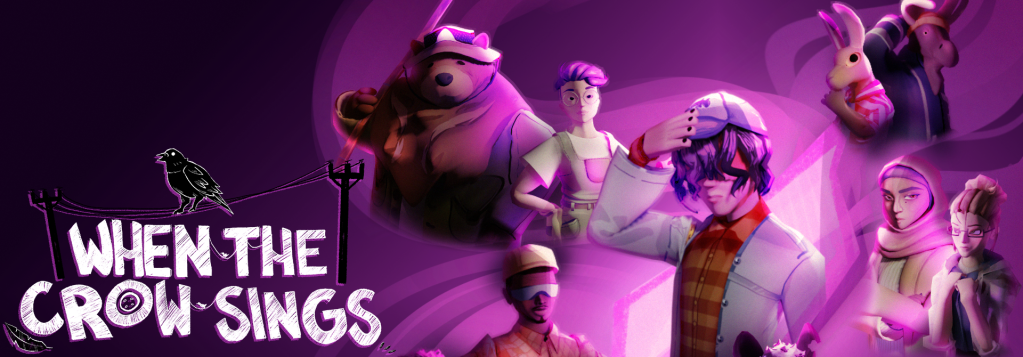
When the Crow Sings is a narrative experience inspired by visual novels and adventure games. It features a rich story, charming art, and multiple branching paths to explore.

You can get the game on Steam!
As technical lead and main programmer, I designed the project’s structure, built the majority of the systems, and organized much of the team’s GitHub activity. The larger scope allowed me to approach my responsibilities with more care and planning than previous projects. It was a welcome opportunity!
Dialogue System
I was required to develop a custom dialogue system for the game. Dialogue is the core of the entire experience, and so the system needed to be technically sound as well as usable by our lead writer. I created a custom compiled markup language to accomplish this. Its syntax and workflow were both heavily inspired by tools I’ve used in the past, such as Ink, Twine, and Nathan Hoad’s dialogue plugin, but is written completely from scratch in C#.
(Toggle technical breakdown)
Dialogue is handled by a single GameObject, the Dialogue Manager. When the player interacts with an interaction point, it sends the Dialogue Manager a .txt file and starting line.
The Dialogue Manager then creates a Parser that compiles each line of the text file into an object based on its indentation, relationship to previous lines, and certain key strings. Each line-object has several properties populated by content in the original text, such as printable text, the speaker, emotion, and mathematical instructions for the Dialogue Manager to use later. Most lines are organized into blocks of related content, ensuring that conditional branches, available choices, and sections of a conversation do not get mixed up with one another. The narrative designer is able to jump between these blocks at will.
The Dialogue Manager then takes these objects and iterates through them, using their types and properties to control logical flow, mathematical operations, displayed content, available player inputs, and other behaviors. It also allows the original syntax to interface with other objects, including getting and setting save data. This allows for dialogue to be full of dynamic content that responds to player actions and interacts with all other systems.
In total, the dialogue system is able to:
- Handle branching dialogue and events
- Check conditional expressions
- Present player with choices and react accordingly
- Call methods and pass arguments
- Get and set variables
- Publish events
- Jump to other blocks of dialogue
- Display character portraits with multiple emotions
- Respect standard rich text formatting
Dialogue Syntax Example
~ demonstrate_featuresif TestingFlag1 == false: (This is text.) Chance: Hi, I'm talking! Chance_Happy: I'm happy to talk! Angel: Yes, I get it. Angel: Would you like a decision? This branches out the dialogue. - Yes Angel: Hm, very good. Here, have a cylinder. set TestingFlag1 = true; Angel: I hope you enjoy your cylinder. - No Angel: You have created a paradox. => END (This has been a brief demonstration of a few dialogue features. Dialogue will now end.)else: (Why are you back? Just to demonstrate conditional logic?) (How strange.)=> ENDGameplay
When the Crow Sings is a very simple game mechanically. The player can walk, sprint, crouch (altering their visibility), and interact with points around the world, triggering dialogue, quick-time-events, and more. The player also is able to throw birdseed, which summons a murder of crows. The crows only feast upon one birdseed at a time and have simple navigation when flying to avoid obstacles.
Both friendly NPCs and an enemy patrol along a series of waypoints. They can either wander between the waypoints in a fixed order or randomly choose one, based on the designers’ wishes. Furthermore, they can switch to a new set of waypoints depending on other conditions (like the player tripping an invisible trigger).
If the player enters the enemy’s cone of vision, a raycast oscillates up and down each frame to check if the player is visible or successfully crouching behind an obstacle. If the player is spotted, the enemy pursues them using a navmesh. It will avoid crows, but if the crows descend directly on its position it cannot escape and gets stunned for a moment.
Most entities use a custom-built state machine that mimics the syntax of a MonoBehaviour, but is easily interchanged with another state.
Game State and Loading
The game features environments that change based on the time, day, and player decisions. I built a custom loading system to dynamically load content in a designer-friendly way.
Each area in the game is built out of multiple scenes that can be loaded or unloaded based on runtime conditions. This way, multiple designers can edit content simultaneously without the risk of merge conflicts. Scriptable Objects allow designers to tell the system which scenes should be loaded and under what conditions. By keeping all of the logic in the inspector, designers are able to build countless permutations for level loading without a single line of code.
Designers needed some elements to be enabled or disabled dynamically without a scene transition. For these, a component can easily be added to any object that dynamically enables or disables it based on changes in the save data. This was useful for everything from customizing what dialogue can be accessed to clearing entire paths to handling minor changes in the user interface.
Save data is stored in a custom binary format that, when read, populates the members of an instance. This makes it simple to both continue from a previous point and to reset the save data altogether.
Due to the use of additive scene loading, a more robust solution was needed to allow GameObjects to communicate. “Game Signals” allow for easy communication across scenes through Scriptable Objects. Additionally, a SignalArguments class allows for an arbitrary number arguments of various types (even when re-using the same Signal asset), bypassing a major limitation of Unity’s built-in event system with a small cost to type safety and clarity. Individual signals can have default arguments as well as custom arguments overridden at runtime.
To protect the game’s detailed runtime state, a simple service locator avoids Don’tDestroyOnLoad GameObjects and singletons wherever possible.
(Toggle technical breakdown)
Loading itself is handled by a GameStateManager service, which provides a simplified interface for safely loading with expected behavior. When the player touches a loading trigger (or dialogue commands it), the GameStateManager uses the asset data to determine what should be loaded and acts accordingly.
Dynamically enabled/disabled GameObjects are registered to a manager that iterates through all loaded instances each frame, bypassing the limitation of Update() not running while disabled. This solution avoided some lifecycle issues the observer pattern would introduce at the cost of a loop running each frame, hence the additive loading solution for more persistent changes.
Save data uses a static API, which provides a convenient way to hard-code conditions for some values to be altered automatically (i.e. unlocking a secret ending when certain conditions have been met). The serialization of data is done manually, writing and reading individual bytes. Since it’s not using JSON or storing keys, reading data is protected by a versioning variable that changes the algorithm to provide compatibility in case data is updated in a patch.
User Interface
Unity’s built-in UI functionality is pretty limited (especially with gamepads), so I created systems to ensure simple implementation and predictable behavior. Interactable elements like buttons have unified highlighted and selected behavior, ensure one button is always focused when using a gamepad, ignore buttons from inactive menus (with more precise control than Unity offers by default), and can optionally remember which was last selected to make menu navigation feel more streamlined. The actual menus use a simple interface to organize themselves, opening and closing hierarchically with a single method call. Menus can be created both in the editor and at runtime, allowing for rapid changes.
The player’s position accurately updates on the map regardless of what scene they are in. Corrections are made to inconsistent scale and offset between the art and the actual levels. For interiors, the player’s map icon can be set directly and will not move.
Depending on what the player chooses to do, information about their actions is saved to their journal. This is triggered by the same flags as the rest of the game’s progression, but saved differently to ensure the order of events stays consistent between sessions.
The settings menu uses a custom implementation of the model-view-controller pattern to properly display and update player preferences. This involved a total rewrite of the system late in development to fix several longstanding bugs steeped in technical debt, requiring feature parity with the original implementation while avoiding regressions.
Animation
As the largest intersection of the art, design, and tech teams, this was one of the project’s biggest challenges. I served as a mentor to our two riggers & animators and implemented much of their work. Animation can take years to master, so it was incredibly gratifying seeing their progress in just a few months. Of course, rigs made earlier in development couldn’t benefit from the experience we gained later on. Ultimately most of my tasks involved working around the resulting pipeline issues, which is a rewarding experience in its own way and greatly deepened my understanding of real-time animation systems.
Our animal NPCs sadly couldn’t use many of Unity’s built-in systems and our pipeline made it difficult to get consistent behavior between all characters. I reworked every NPC’s implementation late in development, but there was just enough time to implement some basic procedural animation. Though a subtle effect, it represents the culmination of a long process and it would be a disservice not to represent it here.
Though this whole area of development was uniquely challenging, I can’t overstate how proud I am of everyone’s work and how much I respect their flexibility. We learned so many valuable lessons about communication and implementation from this experience in particular and I can’t wait to see what they do next.
POST MORTEM
It was a privilege and a blessing to work with such an amazing team on this project. I learned so much from them, especially soft skills.
I actually originally intended to be a 3D artist on this project (that being my intended brand at the time), but once the team was assembled it turned out I was one of the only members with programming experience. In the end I’m glad it turned out that way, as the experience has vastly strengthened my technical skills and given me a better understanding of more parts of the development process. And more importantly, it’s helped reinforce the skills I need to work as a tech artist.
 Paul Griffin | Technical Artist